HIPAA Device and IoT Inventory
To build a HIPAA device inventory, list every device that stores, receives, or transmits ePHI (electronic protected health information), record its owner, location, encryption status, and access controls, and update the list whenever a device is added, moved, or retired. You cannot protect ePHI on a device you have never written down. A current inventory of every device that stores, receives, or transmits ePHI is the quiet foundation under your risk analysis, your technical safeguards, and your incident response.
HIPAA never uses the phrase "device inventory." What it requires is device and media controls under 45 CFR § 164.310(d)(1), and an accurate and thorough risk analysis under 45 CFR § 164.308(a)(1)(ii)(A). Both are hard to satisfy honestly without a list of what you actually have.
That gap is where most small practices lose time during an audit or a breach investigation. The question is rarely "do you have a policy." It is "which devices held ePHI, and where are they now."
Scope & Examples of Devices That Hold ePHI
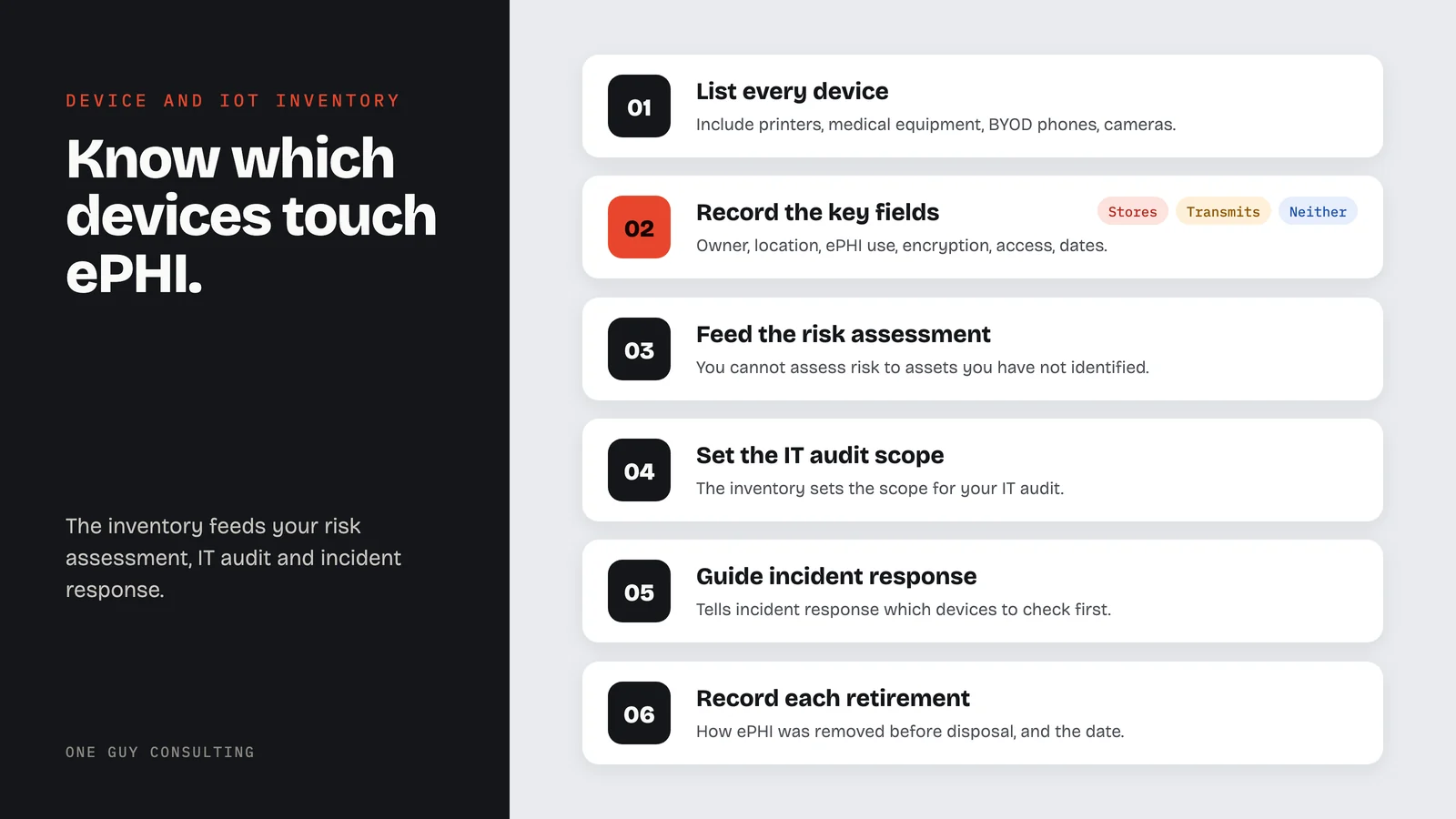
The obvious entries are workstations, laptops, servers, phones, and tablets. The entries organizations miss are the ones nobody thinks of as computers:
- Multifunction printers and copiers. Most have internal drives that retain scanned images long after the job finishes.
- Connected medical equipment. Imaging systems, monitors, and diagnostic devices that store patient data or push it to a network share.
- Network hardware. Routers, firewalls, and access points that carry ePHI even though they never store it.
- Backup media and external drives. Including the ones in a drawer that nobody has touched in two years.
- Personal devices under BYOD. If a phone reaches email containing ePHI, it is in scope regardless of who paid for it.
- Cameras, smart displays, and building systems. The genuinely "IoT" (internet-connected device) end of the list, often installed by a vendor and never inventoried.
A useful test: if the device disappeared tomorrow, would you need to determine whether it held ePHI? If yes, it belongs in the inventory today, not after it goes missing.
Required Fields for Each Inventory Entry
A list of device names is not an inventory. These are the fields that make it useful when something goes wrong:
- Device type and model. Laptop, workstation, phone, tablet, printer, server, or connected medical device.
- Owner and location. Who is responsible for it and where it normally lives. A device with no owner is a device nobody patches.
- Does it touch ePHI. Stores it, transmits it, or neither. This is the field that drives everything else.
- Encryption status. Whether the drive is encrypted, and how that was confirmed. Relevant to the encryption addressable specification.
- Access controls. Which accounts can reach it, and whether unique user IDs are in place.
- Acquired and retired dates. Including how it was disposed of, so the record survives the device.
Here is how each field lines up with the Security Rule:
| Field | What to record | HIPAA provision it supports |
|---|---|---|
| Device type and model | Laptop, workstation, phone, tablet, printer, server, or connected medical device | 45 CFR 164.310(d)(1), Device and media controls |
| Owner and location | The person responsible for the device and where it normally lives | 45 CFR 164.310(d)(2)(iii), Accountability (Addressable) |
| Does it touch ePHI | Stores it, transmits it, or neither | 45 CFR 164.308(a)(1)(ii)(A), Risk analysis (Required) |
| Encryption status | Whether the drive is encrypted, and how that was confirmed | 45 CFR 164.312(a)(2)(iv), Encryption and decryption (Addressable) |
| Access controls | Which accounts can reach it, and whether unique user IDs are in place | 45 CFR 164.312(a)(2)(i), Unique user identification (Required) |
| Acquired and retired dates | Dates, plus the disposal method used | 45 CFR 164.310(d)(2)(i) and (ii), Disposal and Media re-use (Required) |
The owner and location fields map to the accountability specification under device and media controls, which reads in full:
Maintain a record of the movements of hardware and electronic media and any person responsible therefore.45 CFR 164.310(d)(2)(iii), Accountability (Addressable)
Why the IoT Side Is Harder
Traditional IT assets arrive through a process. Connected devices frequently do not. A vendor installs a camera system, a landlord adds a smart thermostat, a manufacturer ships an imaging unit with a default password and a network port. None of it passes through the person who maintains your device list.
These devices also tend to lag on patching and rarely support the access controls described at 45 CFR § 164.312. That combination, unmanaged and hard to secure, is exactly what a risk analysis is meant to surface.
How This Connects to the Rest of Your Program
The inventory is not a standalone deliverable. It feeds your Security Risk Assessment, since you cannot assess risk to assets you have not identified. It sets the scope for your IT audit. It tells your incident response process which devices to check first. And when a device is retired, 45 CFR § 164.310(d)(2) expects a record of how ePHI was removed before disposal.
Kept current, it turns a frantic question into a lookup.
Inventory Maintenance, Review Cadence & Retirement
Update the inventory whenever a device is added, reassigned, or retired, and review the whole list at least once a year alongside your risk analysis. When a device is retired, record the disposal method and date so you can show ePHI was removed before it left your control (45 CFR § 164.310(d)(2)).
One Guy Consulting in 37 seconds
Common Questions
Does HIPAA actually require a device inventory?+
Do personal phones belong in the inventory?+
What about printers, cameras, and connected medical equipment?+
How often should the inventory be updated?+
What happens to a device when we retire it?+
This content is for educational and informational purposes only and should not be construed as legal advice. Organizations should consult legal counsel about their specific obligations.
Press inquiries: email hello@oneguyconsulting.com.
Not sure what is on your network?
Most organizations find devices they forgot about. Book a free 30-minute intro call and I will review your device inventory and identify gaps.
Two anonymized examples from my own client work. A Florida mental health franchise office had policies never written, records with holes, and a state auditor due in days; it was audit-ready in under a week and passed its state audit (Case 01). A single-location practice found several vendors handling PHI with no BAA (Business Associate Agreement) in place; every missing BAA got signed, and the practice now has a vendor review it can run again (Case 05). See all six anonymized case studies.