KadNap is a botnet that takes over routers, mainly ASUS models, and sells access to them through a criminal proxy service called Doppelganger. Black Lotus Labs at Lumen disclosed it on March 10, 2026. Lumen counted about 14,000 infected devices on an average day. If your office runs an ASUS router, update it and check it for infection.
KadNap Botnet: Key Facts
- Disclosed: March 10, 2026, by Black Lotus Labs (Lumen Technologies)
- Researchers: Chris Formosa and Steve Rudd
- Tracked since: August 2025
- Scale: About 14,000 infected devices on an average day, mostly ASUS routers
- Geographic concentration: More than 60% of infected devices are in the United States (roughly 8,400 on an average day)
- Primary targets: ASUS routers, plus other edge networking devices (the boxes that connect an office to the internet)
- Lumen's advice: Install security updates, change default passwords, keep the router admin page off the internet, and replace routers that no longer get updates
- Persistence: Runs from the router's
/jffs/flash storage, which keeps files after a reboot. It also downloads its script again every hour. A simple reboot may not clear it. - Criminal use: Infected devices are sold through Doppelganger, a criminal proxy service. Its users run brute-force attacks (guessing passwords over and over) and targeted hacking campaigns.
On March 10, 2026, Black Lotus Labs, part of Lumen Technologies, revealed a new botnet named KadNap. Lumen has tracked it since August 2025. It now holds about 14,000 infected devices on an average day. Researchers Chris Formosa and Steve Rudd found that it mainly targets ASUS routers. More than 60% of infected devices are in the United States, roughly 8,400 on an average day.
This is not a theoretical threat. These routers are actively being used as criminal infrastructure right now.
What KadNap Does
KadNap starts with a harmful shell script called aic.sh, downloaded from a server the attackers control. The script sets up a cron job (a scheduled task). At 55 minutes past every hour, the task downloads the script again and runs it from /jffs/.asusrouter. That spot is in the flash storage on ASUS routers, which keeps its files across reboots. Next, the malware downloads a program, renames it kad, and runs it. That program talks to the attackers' command-and-control (C2) servers, the machines that send it orders.
Technical Details
Infection Chain and Persistence
- Initial payload: Shell script
aic.shdelivered from attacker-controlled server - Persistence location: Script saved and run as
/jffs/.asusrouter(persistent flash storage) - Dropped binary: Program downloaded, renamed
kad, and run - Persistence mechanism: Every hour at :55, a scheduled task (cron job) downloads the shell script again and runs it
- C2 protocol: Custom version of Kademlia DHT, a peer-to-peer system like the one BitTorrent uses. Its traffic is encrypted.
- Anti-detection: A downloaded firewall script (
fwr.sh) closes port 22 (SSH) on the hacked device. This can block the owner from logging in remotely. - Resilience: The peer-to-peer design hides the C2 servers in normal-looking traffic. But Lumen found the same two fixed relay points (nodes) just before the C2 servers, in samples going back to August 2025.
Indicators of Compromise
If you manage ASUS routers in a healthcare environment, check for the following indicators:
| Indicator | Detail |
|---|---|
| Malicious script | File named aic.sh present on the device or in download logs |
| Dropped binary | Script at /jffs/.asusrouter, or a file named kad |
| Cron persistence | Hourly cron job at :55 executing from /jffs/ |
| SSH lockout | Port 22 (SSH) no longer accessible on the router despite being previously enabled |
| Unexpected outbound traffic | Router generating traffic patterns consistent with DHT protocol or proxy relay activity |
| Unknown processes | Process named kad running on the device |
Peer-to-Peer C2 Architecture
The C2 setup is built to hide. KadNap uses a custom version of the Kademlia DHT protocol, a peer-to-peer system like the one BitTorrent uses. It also encrypts its traffic. That makes the control servers hard to spot in normal network traffic. But the design has a weak point: in samples going back to August 2025, Lumen kept finding the same two fixed nodes. As of its report, Lumen has blocked all traffic to or from KadNap's control servers on its network.
Why Rebooting May Not Be Enough
Some practices may think, "I'll just reboot the router." That may not be enough. The infection runs from /jffs/ flash storage, which keeps its files after a reboot. On top of that, the hourly scheduled task downloads the script again. A factory reset, followed right away by a firmware update, is the safer cleanup. If the router no longer gets updates, replace it.
SSH Lockout and Reduced Visibility
A firewall script the malware downloads closes port 22 (SSH) on the hacked device. SSH is a way to log in to the router from another computer. With it closed, the owner may not be able to log in and check for the infection. If your company has had a ransomware-style intrusion before, the same idea applies: attackers often try to limit what you can see.
Why Small Healthcare Practices Should Pay Attention
Lumen's report does not say KadNap targets healthcare on purpose. It goes after ASUS routers and other edge devices wherever they are. But small practices often share the weak spots that make a router easy to take over:
- Many small offices run consumer-grade routers. They are affordable, easy to set up, and do not require dedicated IT staff. That same ease is also a weakness. Often no one watches them or updates them. Some run firmware (the router's built-in software) that is months or years out of date.
- Small practices often lack dedicated IT or security staff. Without someone in charge of firmware updates, network monitoring, and device inventory, router flaws go unnoticed until a breach occurs.
- Medical records are high-value targets. Healthcare data includes identity details, insurance details, and medical history. Unlike a card number, it cannot be easily changed or canceled.
- Network perimeter security is often the weakest link. Many small practices invest in EHR security and staff training but overlook the router sitting in the back office, the device that controls access to their entire network.
Why Your Practice Should Care
Residential Proxy Abuse via Doppelganger
KadNap-infected routers are sold through a criminal proxy service called Doppelganger. Lumen says it appears to be a rebrand of Faceless, a service that is no longer running. Attackers value these home and business routers (residential proxies) because their traffic looks like it comes from a real home or office, not a known data center. Lumen warns that this traffic can slip past geofencing (blocking by location) and other network-based blocking. If your patient portal or EHR login leans on those filters, they may not stop it.
Credential Stuffing and Account Takeover Risk
Lumen says Doppelganger customers use these routers for brute-force attacks (guessing passwords over and over) and targeted hacking campaigns. It also warns defenders to watch for password spraying, which means trying common passwords across many accounts. A close cousin is credential stuffing: the automated replay of usernames and passwords stolen from prior breaches, testing them against your patient portal, your EHR, your billing system. A proposed update to the HIPAA Security Rule would require MFA, a second login step beyond the password. The proposal was published in January 2025 and is not final yet. MFA is a strong defense against this kind of attack.
Internal Network Exposure
If your practice's router is compromised, the immediate and confirmed risk is that your office's IP address becomes a weapon used against other organizations. But the risk does not stop there. A hacked router is at the edge of your internal network.
An attacker who keeps control of the router could reach any device on that network. That includes workstations, tablets, and the EHR server. This is a possible risk, not something confirmed for KadNap specifically. It is also why your router belongs in your planning under the HIPAA Security Rule.
HIPAA Security Rule and HHS Cybersecurity Performance Goals
The HIPAA Security Rule (45 CFR Part 164, Subpart C) applies to covered entities and business associates. Covered entities are health plans, clearinghouses, and providers who bill electronically. Business associates are vendors that handle patient data for them. Both must put safeguards in place to protect electronic protected health information (ePHI), meaning patient health data stored or sent electronically.
The HHS Cybersecurity Performance Goals (CPGs) are voluntary. They call out fixing known security flaws, using unique logins and passwords, keeping a list of your devices (asset inventory), and splitting your network into separate parts (network segmentation). Out-of-date firmware on a network device is exactly the kind of gap a HIPAA security risk assessment should catch. A proper risk assessment writes down the safeguards you have and your timeline for fixing problems. If you do not have a current one, this incident is a good reason to make it a priority.
CISA Binding Operational Directive 26-02
On the federal side, CISA Binding Operational Directive 26-02 (issued February 5, 2026) requires federal civilian agencies to update edge devices running out-of-date software to a version the maker still supports. Agencies must also list edge devices that have reached end of support (the maker no longer updates them) and remove them. The directive applies only to those agencies and places no legal duty on a private practice. Still, it gives a clear picture of basic router care: know your edge devices, keep them updated, and replace the ones the maker no longer supports.
How to Check and What to Do Now
Lumen's report does not describe a zero-day, which is a flaw the maker does not know about yet. Its advice is basic: install security updates and patches, do not rely on default passwords, keep the router's settings page off the internet, and replace routers that have reached end of life. That makes the cleanup steps straightforward, if not fast.
Seven-Step Remediation Checklist
Step 1: Identify your router make and model. If your office runs an ASUS router, treat this as urgent. Check your router's admin interface (often accessible at 192.168.1.1 or 192.168.0.1) to determine the current firmware version. HIPAA connection: The current rule requires a risk analysis under 45 CFR 164.308(a)(1)(ii)(A). That starts with knowing what devices you have. A formal device list (asset inventory) is part of the proposed Security Rule update, which is not final.
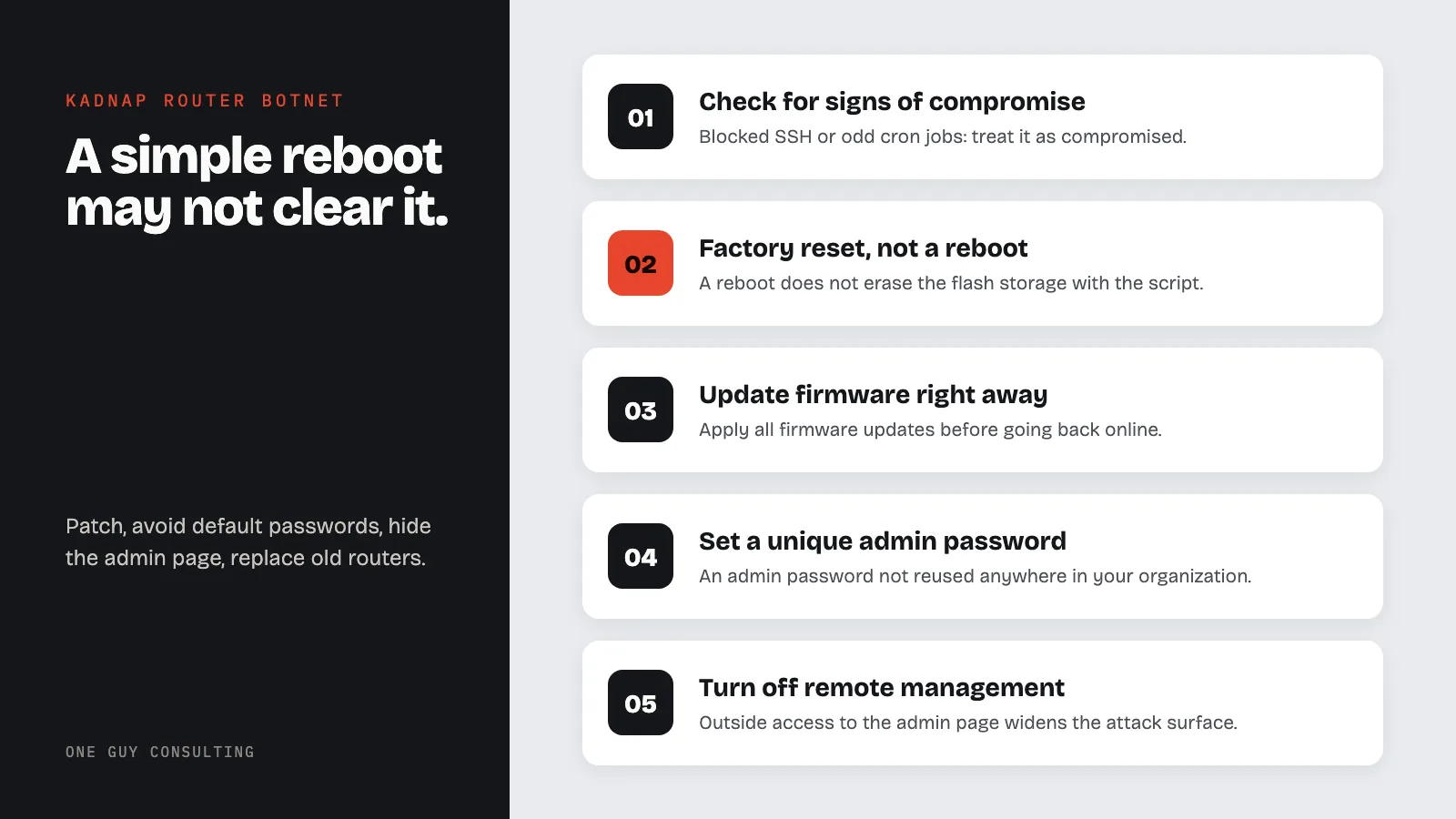
Step 2: Check for signs of compromise. If you cannot SSH into your router (port 22 is blocked), or you see an unusual cron job or an unfamiliar binary in /jffs/, treat the device as compromised. HIPAA connection: Security incident detection and response is required under 45 CFR 164.308(a)(6)(ii).
Step 3: Perform a factory reset, not just a reboot. A reboot does not erase /jffs/ flash storage, where KadNap keeps its script. So a reboot alone may leave the infection in place. Do a full factory reset, following your router's manual. This will wipe all custom configurations, so document your current settings (SSID, port forwards, VLAN configuration) before resetting.
Step 4: Update firmware right away after the reset. Do not reconnect the device to the internet before applying all available firmware updates. ASUS publishes firmware updates at asus.com/support. If your device is end-of-life and no longer receiving updates, the manufacturer will not patch new flaws, so replace it. Lumen gives the same advice for routers past end of life.
HIPAA connection: Under 45 CFR 164.308(a)(5)(ii)(B) (protection from malicious software), security awareness training includes steps to guard against, detect, and report malicious software. That item is addressable. That means you put it in place if it is reasonable and appropriate for your practice. If it is not, you write down why, and what you do instead.
Step 5: Set a strong, unique admin password. Default router credentials are trivially known. Set a password that is not reused anywhere else in your organization. This applies to the router admin interface, not just your Wi-Fi password. HIPAA's encryption requirements and the HIPAA security safeguards framework both point to access controls as foundational, and the router admin password is an access control.
Step 6: Disable remote management unless required. Remote management (access to the router admin interface from outside your network) widens the attack surface. Unless you have a specific operational need, disable it.
Step 7: Review your asset inventory and document this assessment. Do you know every network device in your office: routers, switches, access points, IoT (internet-connected) devices? If not, a HIPAA security risk assessment is the structured process for building that inventory and weighing each device's risk posture. HIPAA connection: Document this entire assessment process as part of your risk analysis under 45 CFR 164.308(a)(1)(ii)(A).
Network Segmentation as a Containment Control
If your patient devices (kiosks, iPads, waiting room Wi-Fi) are on the same network as your EHR workstations, a hacked router can reach everything. Separating clinical systems onto a dedicated VLAN (a separate virtual network) with firewall rules between segments limits the blast radius of any perimeter compromise. This is a HIPAA breach prevention control that does not require enterprise-grade equipment. Many business-class routers support VLANs.
Defense in Depth: Why No Single Control Is Enough
HIPAA breach prevention is not one control. It is a stack of overlapping safeguards. Network perimeter security, HIPAA encryption requirements, MFA on every login portal, and a documented risk assessment are the layers that collectively keep a botnet infection from becoming a reportable breach.
One Guy Consulting offers affordable HIPAA compliance packages for practices of all sizes. One Guy Consulting HIPAA services
Key point: KadNap is not aimed at healthcare on purpose. It takes over whatever weak routers it can reach, and a medical office router is no exception. The difference is what sits behind it: patient records.
Sources
- 45 CFR 164.312: Technical Safeguards
- 45 CFR 164.308: Administrative Safeguards
- Black Lotus Labs (Lumen): Silence of the hops, the KadNap botnet
- CISA BOD 26-02: Mitigating Risk From End-of-Support Edge Devices
- CISA Healthcare Cybersecurity
Cybersecurity Threats and Lessons
- Cloudflare Outage 2026: Business Lessons
- UMMC Ransomware Attack Lessons
- Supply Chain Attack: Telnyx Breach Lessons
- Vercel Security Incident Analysis
Related Reading
Try three One Guy Consulting 3D staff training courses free →
Frequently Asked Questions
What is the KadNap botnet, and does it target healthcare?
KadNap is a botnet that takes over routers, mainly ASUS models. It sells access to them through a criminal proxy service called Doppelganger. Black Lotus Labs at Lumen disclosed it on March 10, 2026. Lumen counted about 14,000 infected devices on an average day. The report does not say KadNap targets healthcare on purpose. But small practices often run routers that rarely get updates, and patient records sit behind them.
How can a healthcare organization defend against botnet threats like KadNap?
Keep router firmware updated, and replace routers that no longer get updates. Swap default passwords for strong, unique ones. Keep the router settings page off the internet. If a router shows signs of infection, factory reset it and update it before you reconnect it. Put clinical systems on their own separate network. That limits the damage if a router is taken over.
Are medical devices vulnerable to botnets?
They can be. Any networked device that runs old software, is hard to patch, or uses a default password is an easy target. KadNap shows how one weak router can be taken over. A proposed update to the HIPAA Security Rule, published in January 2025, would require an asset inventory (a list of your devices). It is still a proposal and is not law yet.
Does a botnet infection trigger HIPAA breach notification?
It can. If an infection leads to protected health information (PHI) being accessed, used, or shared in a way HIPAA does not allow, the law presumes it is a breach. You must then give notice, unless a risk assessment shows a low probability that the PHI was compromised. That assessment must cover at least four factors, listed in 45 CFR 164.402.