By Chuck Weiselberg, Founder — One Guy Consulting
Chuck Weiselberg, Founder of One Guy Consulting; 10 years of HIPAA compliance experience; Certified HIPAA Professional (CHP). Full author bio
This article explains how to assess whether QuickBooks can be used with PHI (protected health information) and which safeguards to verify. It draws on Intuit's own QuickBooks documentation, the rules under HIPAA (the U.S. law governing protected health information) and guidance published by HHS OCR (the U.S. Department of Health and Human Services Office for Civil Rights), and NIST's guide to the HIPAA Security Rule.
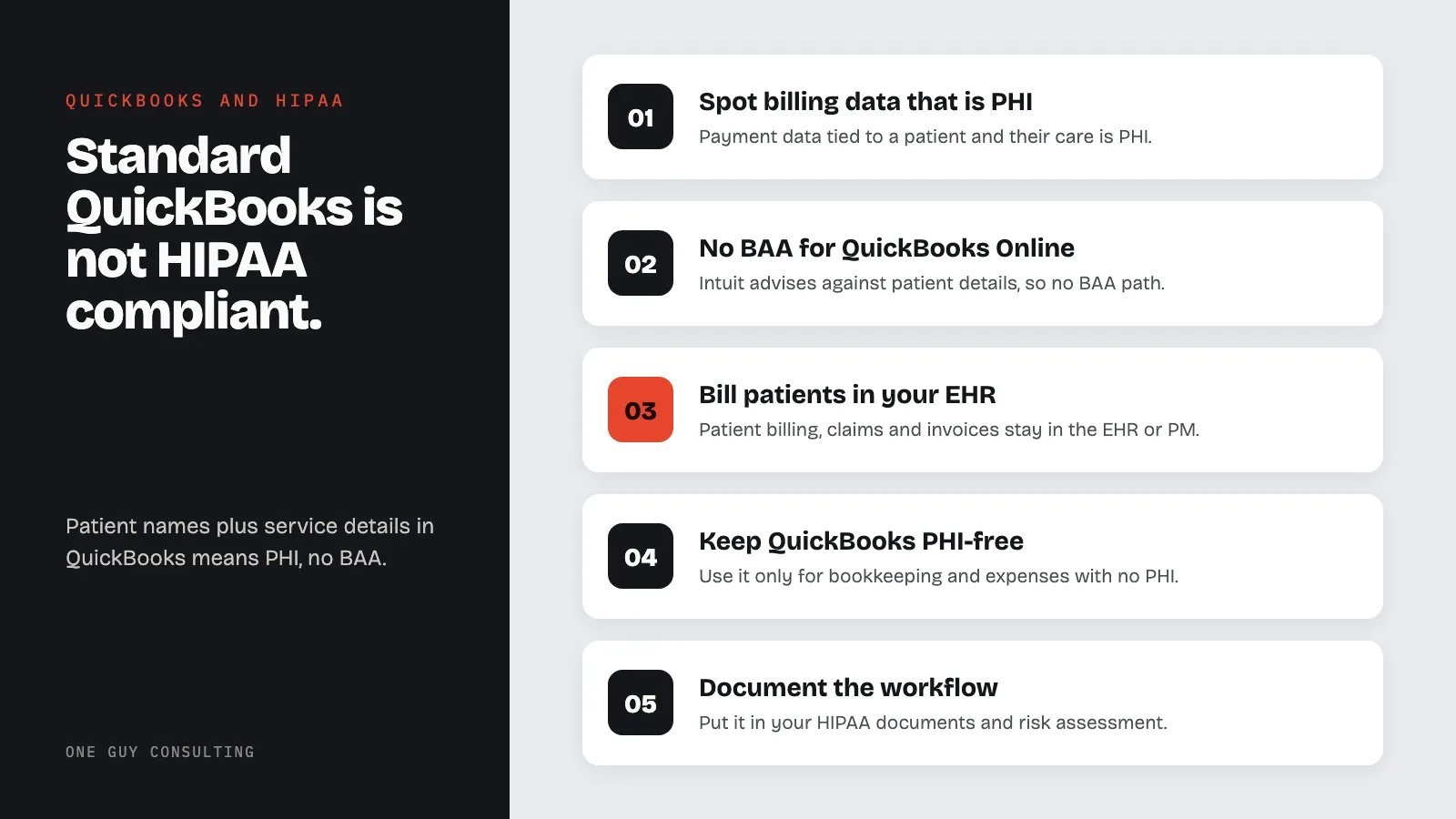
There is one narrow workaround: you can run QuickBooks Desktop through a HIPAA-compliant hosting service that signs a BAA (business associate agreement). But for most practices, billing software built for healthcare is often simpler.
Healthcare practices need accounting software. They also handle protected health information in their billing workflows. When those two needs collide in QuickBooks, the result is a compliance gap that most small practices do not realize exists until it becomes a problem.
QuickBooks Online: Not HIPAA Compliant
Intuit's official position is clear: "QuickBooks Online meets industry standards for online security, but is not compliant with the HIPAA standards for privacy." Intuit also advises against entering individually identifiable health information (details that can identify a patient), so there is no Business Associate Agreement path for QuickBooks Online. No plan level changes this. Simple Start, Essentials, Plus, and Advanced are all excluded.
This means healthcare providers cannot use QuickBooks Online to:
- Invoice patients for services where the invoice description reveals health information
- Track insurance claim payments linked to specific diagnoses or procedures
- Store patient payment records that include treatment details
- Process billing that connects patient identities to healthcare services
Does Intuit offer a BAA?
No. Intuit's help article says QuickBooks Online is not compliant with the HIPAA standards for privacy and advises against entering individually identifiable health information, so no QuickBooks Online plan comes with a Business Associate Agreement. For QuickBooks Desktop, the only BAA available comes from a third-party hosting provider, not from Intuit (see the Desktop section below).
When Does Billing Data Become PHI?
This is the question that catches most practices off guard. Financial data becomes PHI when it is linked to both an individual's identity and their health condition or healthcare services. Consider these scenarios:
Less detail, still PHI: A patient named Jane Smith pays $150. The invoice says "Office Visit" with no clinical detail. Your practice holds this record, so it still counts as PHI. HIPAA covers a patient's payments for care, not just their diagnosis.
Clearly PHI: Jane Smith pays $150 for "Psychiatric Evaluation, Initial." The invoice now links her identity to a specific healthcare service. Jane Smith pays $75 copay, insurance claim #12345 for CPT code 99213. The CPT code identifies a specific type of medical service, making this PHI.
In practice, most healthcare billing involves enough detail to qualify as PHI. Procedure codes, diagnosis references, insurance claim numbers, and service descriptions routinely appear in invoices and payment records. If your QuickBooks contains any combination of patient names and healthcare service details, you have PHI in a system with no BAA.
QuickBooks Desktop: Also Not Compliant (With a Workaround)
QuickBooks Desktop is not HIPAA compliant out of the box. Intuit does not say Desktop is HIPAA compliant. The only way to get a BAA is through the company that hosts it for you. The next paragraph explains how that works.
However, because Desktop is installed software rather than a cloud service, there is a workaround: deploy QuickBooks Desktop on a HIPAA-compliant hosting provider. The hosting provider (not Intuit) signs the BAA, and the hosting environment provides the required access controls, encryption, audit logging, and backup procedures (45 CFR 164.312; HHS Security Rule guidance).
This approach works but has significant costs:
- QuickBooks Desktop license: a yearly subscription fee paid to Intuit (Intuit has shifted to annual subscriptions)
- HIPAA hosting service: a monthly fee for each person who logs in, on top of the license
- Setup and configuration: the hosting provider must configure the environment to meet Security Rule requirements
For a small practice with a few users, these costs add up every year. The total can be more than the billing tools built into healthcare billing or practice management software.
How to log and audit access?
HIPAA's audit controls standard requires mechanisms that record and examine activity in systems that contain ePHI (electronic PHI) (45 CFR 164.312(b)), and NIST SP 800-66 Rev. 2 covers reviewing that activity. QuickBooks Online has an audit log (Settings, then Audit log) that records user sign-ins, settings changes, and edits to customers, vendors, and transactions, and keeps those events for two years. QuickBooks Desktop has an Audit Trail report (Reports, then Accountant & Taxes, then Audit Trail) that lists added, changed, and deleted transactions and who made each change, but it does not record sign-ins. Review the log on a set schedule, note the date you reviewed it, and keep that note with your HIPAA documentation for 6 years (45 CFR 164.316(b)(2)(i)). If a hosting provider runs Desktop for you, ask it in writing which access logs it keeps and for how long. These logs do not replace a BAA, so they are not a reason to put PHI into QuickBooks Online.
The Invoice Problem
A common way PHI ends up in QuickBooks is through invoices. A practice creates an invoice in QuickBooks that includes:
- Patient name and contact information
- Service description (e.g., "Physical Therapy, 4 sessions")
- CPT or billing codes
- Insurance information
- Outstanding balance tied to specific treatments
This invoice is now PHI. It lives in QuickBooks' database, in QuickBooks' backups, in any reports exported from QuickBooks, and in any email sent through QuickBooks' invoicing feature. All of this data exists in a system with no BAA, no HIPAA-compliant audit logging, and no breach notification obligation from Intuit.
Some practices try to work around this by using generic descriptions ("Office Visit" instead of "Psychiatric Evaluation"). This reduces risk but does not eliminate it. The combination of patient identity, a healthcare provider, and a payment for services is still PHI. It also makes your financial records less useful for tracking revenue by service type.
Which QuickBooks settings to review?
No setting makes QuickBooks HIPAA compliant, but a few reviews help keep PHI out of it:
- Users and roles: in Settings, then Manage users, remove anyone who no longer needs access and give standard users limited access instead of full access. Custom roles with view-only permissions are available only in QuickBooks Online Advanced.
- Products and services: replace service names that describe treatment (such as "Psychiatric Evaluation") with generic labels, or move patient invoicing to your EHR.
- Customer records: check customer names, notes, and attachments for patient names, diagnoses, or insurance details.
- Invoices and emails: check what the invoice template and invoice email show before anything goes to a patient.
What to Use Instead
Healthcare practices have several options depending on their size and needs:
- Your EHR/PM system's billing module: most practice management systems (athenahealth, AdvancedMD, Tebra, formerly Kareo) include billing and invoicing under their existing BAA. This keeps clinical and financial data in one compliant system
- Sage Intacct: accounting software sold to healthcare organizations. Before any patient details go into it, ask Sage in writing if it will sign a BAA for your account
- Separate accounting: use QuickBooks for general practice accounting (rent, supplies, payroll) and your EHR's billing module for patient-facing invoicing. Keep PHI out of QuickBooks entirely by never entering patient names or service details
The "separate accounting" approach is what most small practices end up doing. Use QuickBooks for bookkeeping and expense tracking where no PHI is involved. Use your EHR or practice management system for all patient billing, insurance claims, and invoicing. This way QuickBooks never touches PHI and no BAA is needed.
Document your billing workflow in your HIPAA documentation and include it in your risk assessment. Staff need clear guidance on which system to use for which purpose.
When to use a specialized HIPAA product?
Use a product built for healthcare billing whenever patient names, service descriptions, CPT codes, or insurance details need to appear on invoices or payment records, which covers most practices that bill patients directly. Before any patient data goes in, get a signed BAA from the vendor and confirm it covers the billing and payment features you will use. If QuickBooks only ever holds overhead such as rent, supplies, and payroll, it can stay your bookkeeping tool.
Can a practice use QuickBooks if it only enters payment amounts without patient details?
If QuickBooks contains only dollar amounts with no patient names, no service descriptions, and no connection to individual health information, it may fall outside PHI. However, this requires strict discipline. The moment someone enters "Jane Smith copay" or "Physical therapy sessions," PHI exists in the system. Most practices find it impractical to maintain a completely de-identified accounting system, which is why the separate-system approach (QuickBooks for overhead, EHR for patient billing) works better.
Is QuickBooks Payroll HIPAA compliant?
QuickBooks Payroll processes employee data, not patient data. HIPAA applies to protected health information of patients, not employment records. However, your practice's group health plan counts as a health plan under HIPAA in two cases. Either it has 50 or more participants, or an outside administrator runs it. If you track that plan's benefits or claims in QuickBooks, those records could be PHI. For standard payroll processing, QuickBooks Payroll does not raise HIPAA issues.
What about QuickBooks Payments for patient copays?
QuickBooks Payments processes credit card transactions. If the payment description includes health-related service information linked to a patient identity, PHI is involved. A generic charge with no medical details shows less. But a named patient's payment to your practice can still be PHI. The payment record in QuickBooks will still link to the customer (patient) record, which may contain other PHI. Use your EHR's integrated payment processing instead, and confirm that your EHR vendor's BAA covers it.
Does the hosted QuickBooks Desktop workaround actually work?
Yes, technically. When QuickBooks Desktop runs on a HIPAA-compliant hosting provider (an outside company that runs the software for you), the hosting provider signs a BAA and implements the required access controls, encryption, and audit logging. Intuit still does not say the software itself is HIPAA compliant, but the compliance burden shifts to the hosting provider's infrastructure. It works, but it often costs more than using your EHR's built-in billing.
QuickBooks and PHI
QuickBooks holds PHI as soon as a record ties a patient's identity to care or to payment for care: a patient name on an invoice, a service description, a CPT code, or an insurance claim number. Payroll, rent, and supply expenses are not patient data, so on their own they do not put PHI into QuickBooks.
How to evaluate QuickBooks for HIPAA use
- Map what goes in: list every place patient names, services, codes, or insurance details could enter QuickBooks, including invoices, customer records, payments, attachments, and invoice emails.
- Check for a BAA: Intuit does not offer one for QuickBooks Online. For QuickBooks Desktop, only a HIPAA hosting provider can sign one.
- Decide: if PHI has to go in and there is no BAA, move that work to your EHR or practice management system. If no PHI goes in, write down how staff keep it out.
- Record it: add the decision to your risk assessment.
Vendor assurances and BAAs
HIPAA requires a written business associate agreement with any vendor that creates, receives, maintains, or transmits PHI for your practice (45 CFR 164.504(e); HHS OCR business associate guidance). Before any such vendor goes live, get the signed BAA and written answers on the security controls it supports: access controls (user permissions), encryption at rest (data encrypted on storage), audit logs (access records), and backups. The Security Rule's technical safeguards (45 CFR 164.312) and NIST SP 800-66 Rev. 2 list what to ask about. Keep those answers with your vendor records. Intuit says QuickBooks Online is not HIPAA compliant, so it cannot pass this review for PHI. For QuickBooks Desktop, the hosting provider's BAA and written answers are what go on file.
HIPAA's business associate contract rule spells out what every BAA must require of the vendor. Among other things, the vendor will:
"Use appropriate safeguards and comply, where applicable, with subpart C of this part with respect to electronic protected health information, to prevent use or disclosure of the information other than as provided for by its contract"
(HHS, 45 CFR 164.504(e)(2)(ii)(B); subpart C is the HIPAA Security Rule)
The BAA should also spell out breach reporting. A business associate must tell your practice about a breach of unsecured PHI without unreasonable delay and no later than 60 calendar days after discovering it (45 CFR 164.410(b)). Your practice must then notify affected patients without unreasonable delay and no later than 60 calendar days after discovery (45 CFR 164.404(b)). A breach affecting 500 or more people is reported to HHS at the same time as the patient notices; smaller breaches go in a log and are reported to HHS within 60 days after the end of the calendar year (45 CFR 164.408; HHS Breach Notification Rule).
Practical configuration checklist and next steps
- Remove users who no longer need access, and give standard users limited access instead of full access (Settings, then Manage users).
- Use generic product and service names, with no diagnoses or treatment names.
- Check customer records, notes, and attachments for patient details.
- Review the audit log on a set schedule and note the date you reviewed it.
- Move patient invoicing, insurance claims, and copays to your EHR or practice management system.
- Write the billing workflow into your HIPAA documentation and show staff which system to use for what.
Assessing QuickBooks
Assess QuickBooks the way your HIPAA security risk analysis assesses any system: an accurate and thorough assessment of the potential risks and vulnerabilities to the electronic PHI it would hold (45 CFR 164.308(a)(1)(ii)(A)). For QuickBooks the deciding facts are short. Intuit says QuickBooks Online is not HIPAA compliant and offers no BAA, and QuickBooks Desktop can be covered only through a hosting provider's BAA. Write down the result and the date in your risk analysis, and repeat the check whenever your billing workflow changes.
Configuration checklist
When QuickBooks stays free of PHI, configuration is about keeping it that way:
- One login per person: no shared logins. HIPAA requires a unique name or number for each user of a system with electronic PHI (45 CFR 164.312(a)(2)(i)), and unique logins are what make the audit log readable.
- Customer list: no patient names or patient account numbers.
- Products and services list: no diagnoses, procedure names, or CPT codes.
- Attachments: no EOBs, superbills, or claim forms attached to transactions.
- Payments: patient card payments run through your EHR or practice management system, not QuickBooks Payments.
Vendor & BAA steps
- Confirm the data: decide whether the vendor will create, receive, maintain, or transmit PHI for your practice.
- Get the BAA first: request it before any PHI goes in, and check that it names the product and features you will use (45 CFR 164.504(e)).
- Get written answers: access controls, encryption, audit logs, backups, and breach reporting within 60 calendar days (45 CFR 164.410(b)).
- File it: keep the signed BAA and the answers with your vendor records for 6 years from the date they were created or last in effect, whichever is later (45 CFR 164.316(b)(2)(i)).
- Revisit it: review the vendor list whenever a vendor changes and at each risk analysis update.
Alternatives and next steps
There are three workable paths: bill patients in your EHR or practice management system under the BAA you already have with that vendor, run QuickBooks Desktop with a HIPAA hosting provider that signs a BAA, or keep QuickBooks for overhead only (rent, supplies, payroll) with no patient data. Next steps for this week:
- Search QuickBooks for patient names, service descriptions, and CPT codes.
- Move any patient invoicing, claims, and copays to your EHR or practice management system.
- Write the decision into your HIPAA documentation and risk analysis, and tell staff which system to use for what.
Frequently Asked Questions
Is QuickBooks HIPAA compliant?
This article explains how to assess QuickBooks for HIPAA risk and what to verify before using it with PHI.
What vendor assurances should I request?
Ask the vendor about a business associate agreement, supported security controls, and audit logs, and document their responses.
What configuration checks matter?
Verify access controls, encryption settings, audit logging, and data-minimization steps before storing PHI.
Related HIPAA Compliance Guides
- Is Calendly HIPAA Compliant?
- Is Gmail HIPAA Compliant? Free vs. Workspace Explained
- Is ChatGPT HIPAA Compliant? What Teams Must Know
Sources
Official HIPAA guidance from HHS OCR, NIST security guidance, the HIPAA regulation text, and Intuit's QuickBooks documentation:
- Intuit: Is QuickBooks Online HIPAA Compliant?
- HHS OCR: Business Associate Guidance
- HHS OCR: HIPAA Privacy Standards FAQ
- HHS OCR: Breach Notification Rule
- HHS OCR: Security Rule Guidance
- NIST SP 800-66 Rev. 2: Implementing the HIPAA Security Rule
- 45 CFR 164.504 (business associate contracts)
- 45 CFR 164.312 (technical safeguards)
- 45 CFR 164.404 (notice to individuals)
- 45 CFR 164.408 (notice to HHS)
- 45 CFR 164.410 (notice by a business associate)
- 45 CFR 164.316 (documentation retention)
- Intuit: Use the audit log in QuickBooks Online
- Intuit: Add and manage users in QuickBooks Online
Try three One Guy Consulting 3D staff training courses free →