Quick answer
Is Google Drive HIPAA compliant? It can be, but only with a Google Workspace account (not a personal @gmail.com account), a signed Business Associate Agreement (BAA, the contract in which a vendor that handles patient data for your practice agrees to protect it), and proper security configuration. Free Gmail accounts with Google Drive do not qualify and should never be used to store or share protected health information (PHI, health information that can identify a patient).
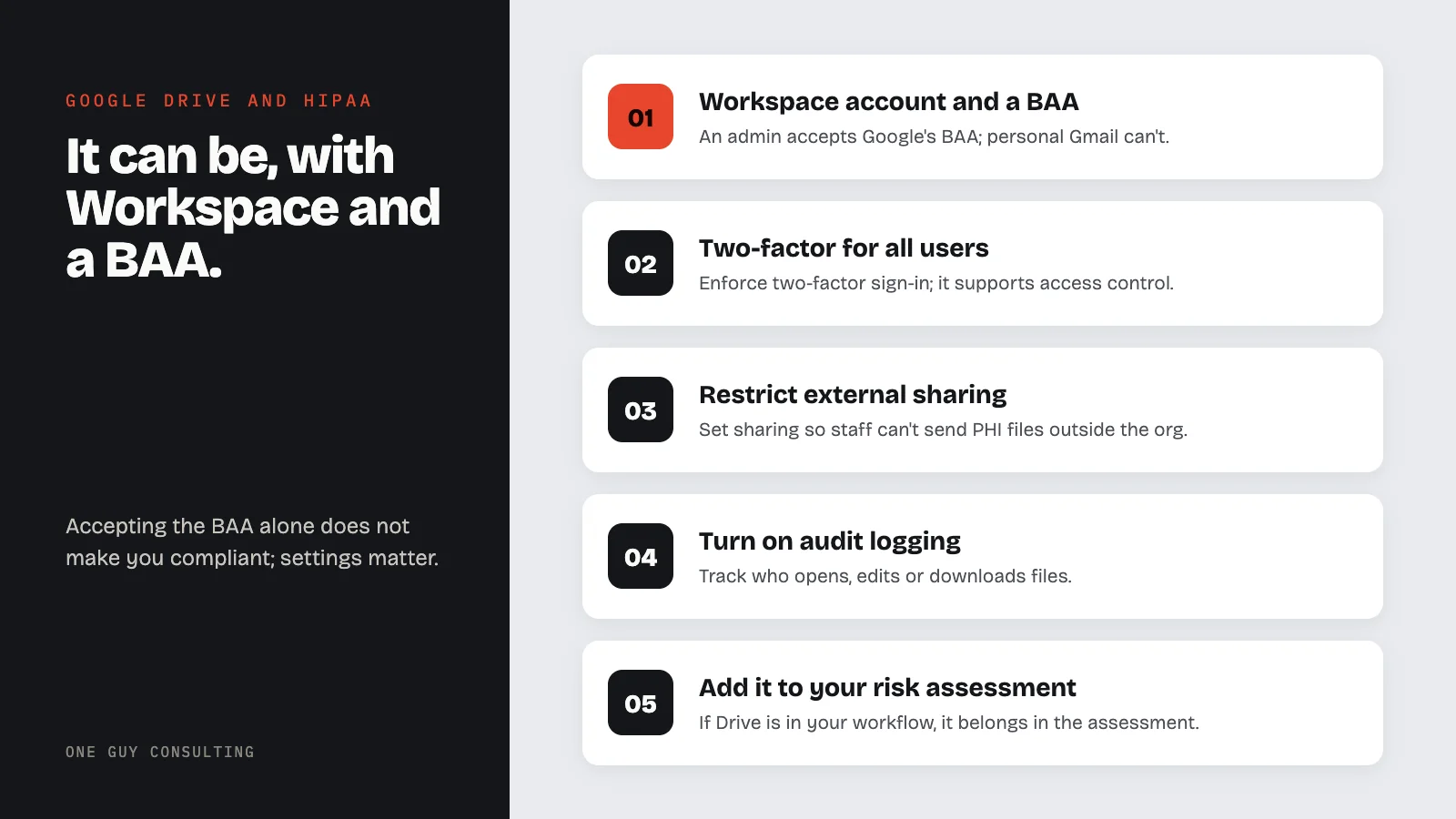
Many healthcare offices use Google Drive to store files. Staff use it for shared documents, intake forms, spreadsheets, and internal notes. The question is whether it meets HIPAA requirements. The answer depends on how your account is set up. HHS's Office for Civil Rights says a cloud service that stores patient data for a practice is a business associate, even if it cannot view the data, so the practice needs a BAA with it (see HHS guidance on HIPAA and cloud computing).
HIPAA requirements
Google offers a Business Associate Agreement for Google Workspace. Google calls it the HIPAA Business Associate Amendment. The BAA covers only the services on Google's HIPAA Included Functionality list, which include:
- Google Drive (file storage and sharing; Google's list counts Docs, Sheets, Slides, and Forms as part of Drive)
- Gmail (when used through Workspace, not free @gmail.com)
- Google Docs, Sheets, Slides, and Forms
- Google Meet (video conferencing)
- Google Calendar
- Google Chat
Free personal Google accounts (@gmail.com) are not eligible. Google says the BAA can only be reviewed and accepted from an administrator account for an organization's Google Workspace or Cloud Identity account, and that users of the legacy free edition of Google Workspace cannot accept it (Google Workspace Help). If your staff stores patient information on a personal Google Drive, that is a potential HIPAA violation regardless of the content.
BAA and Google Drive
The process is straightforward for Workspace admins. Google lists the steps on its Privacy compliance and records help page:
- Sign in to the Google Admin console (admin.google.com) as a super administrator
- Go to Menu > Account > Account settings > Legal and compliance
- In the Security and Privacy Additional Terms section, click Google Workspace/Cloud Identity HIPAA Business Associate Amendment to review it
- Click Review and Accept, answer all three questions to confirm that you are a HIPAA covered entity, and click OK
The BAA covers the services listed above. It does not cover third-party apps or add-ons (Google's HIPAA FAQ). Google's help pages and Admin console call it the Business Associate Amendment; the agreement's own opening line calls it an Addendum, and it is the same document. It does not stand alone: the agreement says it "supplements, amends and is incorporated into" your Google Workspace agreement, and that agreement must already be in place for the BAA to be valid. You can read the full Business Associate Amendment before you accept it.
Once accepted, the BAA is an agreement between Google and your organization. But accepting the BAA alone does not make your setup compliant. Configuration matters.
Technical safeguards
After signing the BAA, your Google Workspace admin should set up these settings to support HIPAA compliance. HIPAA does not name these exact settings. They are common ways to meet its security rules.
- Enforce two-factor authentication for all users. It supports access control. It also helps with the rule that you confirm each person logging in is who they say they are (§164.312(d)).
- Restrict external file sharing so staff cannot share PHI-containing documents outside your organization by default
- Disable link sharing for files containing PHI. Use named-user sharing only.
- Enable audit logging to track who accesses, edits, or downloads files
- Set data loss prevention (DLP) rules, if your plan includes them, to flag or block PHI from being shared externally
- Configure mobile device management so lost devices can be remotely wiped
The audit controls standard is the reason Drive audit logs matter. It reads:
Implement hardware, software, and/or procedural mechanisms that record and examine activity in information systems that contain or use electronic protected health information.
45 CFR 164.312(b), Standard: Audit controls
These settings map to the technical safeguards required under 45 CFR §164.312, including access controls, audit controls, and transmission security (read the rule text). For step-by-step help, see NIST's HIPAA Security Rule resource guide (SP 800-66 Rev. 2) and HHS's Security Rule guidance.
Retention periods to plan around. Google keeps Drive audit log events for 6 months (Google Workspace data retention). HIPAA requires you to keep Security Rule documentation for 6 years from when it was created or last in effect (45 CFR 164.316(b)(2)(i)), so export any log reviews you keep as records before Google ages them out. Deleted Drive files stay in the trash for 30 days, and after a user empties the trash an admin has 25 more days to recover them (Google Workspace Help).
| Record | How long it lasts | Source |
|---|---|---|
| Drive audit log events | 6 months | Google Workspace data retention |
| A deleted file in a user's Drive trash | 30 days, then Drive deletes it for good | Google Workspace Help |
| Admin recovery after a user empties the trash | 25 more days | Google Workspace Help |
| HIPAA Security Rule documentation | 6 years from creation or the date last in effect, whichever is later | 45 CFR 164.316(b)(2)(i) |
What About Google's AI Features?
Google has built Gemini AI into Workspace. Google's HIPAA Included Functionality list includes "Gemini in Google Workspace" and the "Gemini App (excluding Gemini in Google Chrome)." Google's HIPAA Implementation Guide says access to the Gemini app via Gemini in Chrome "is not HIPAA compliant and customers should not upload PHI into Gemini in Chrome." Your practice should check which AI features are turned on. Then decide whether they create risk for PHI stored in Drive, Docs, or Sheets.
If your team uses AI-powered features like Smart Compose, document summaries, or suggested edits on files containing PHI, verify that these features are covered under your BAA and that data processing stays within your organization's Workspace environment. Disable any AI features you cannot account for in your risk assessment.
Common Mistakes with Google Drive and HIPAA
Using personal Gmail accounts for work. Staff who use their personal Google accounts to store or share patient files are sharing PHI outside any BAA. This is a common mistake, and an easy one to prevent.
Sharing files via public links. Google Drive lets users set a file to "Anyone with the link." Then anyone who has the URL can open it. Files with PHI should be shared only with named users inside your organization.
No admin-level security settings. Some practices sign the BAA but never set up two-factor authentication, DLP rules, or external sharing limits. The BAA is a contract. It does not lock down your account by itself.
Missing BAAs with the vendors around Drive. Google's BAA does not cover third-party apps or add-ons, so any outside vendor that handles PHI for your practice needs its own BAA. I found this kind of gap at a single-location practice: several vendors were touching PHI with no BAA in place. The practice got every missing BAA signed and set up a vendor review it can run again (Case 05).
Forgetting mobile access. Staff who access Google Drive from personal phones create risk if the device is lost or stolen. The Security Rule has device and media controls (§164.310(d)). They require policies for devices and storage media that hold PHI. Mobile device management is one way to meet them.
No risk assessment that includes Google Drive. If Drive is part of your workflow, it must be in your risk assessment. Document what PHI is stored, who has access, and what controls are in place.
Configuring Drive for PHI
- Use a Google Workspace account, not a personal @gmail.com account
- Accept the BAA in the Admin console
- Enforce two-factor authentication for all users
- Restrict external sharing to prevent PHI leaks
- Enable audit logs and review them regularly
- Set up DLP rules for PHI detection
- Configure mobile device management
- Train staff on compliant use of Drive and Docs
- Add Google Drive to your risk assessment
- Document everything in your HIPAA documentation
Frequently Asked Questions
Can Google Drive be HIPAA compliant?
It can be used in HIPAA-covered workflows only when specific requirements (a signed BAA, access controls, sharing limits, and audit logging) are met.
What is a BAA and why does it matter?
A BAA documents responsibilities between a covered entity and a service provider for protecting PHI.
What technical safeguards should a practice check in Drive?
Check that the BAA is accepted in the Admin console, 2-Step Verification is enforced for every user, external and link sharing are restricted, and Drive audit logs are reviewed and exported before Google's 6-month log retention runs out.
What steps should practice managers take next?
Review your contract, confirm a BAA, enable required controls, and document your configuration and policies.
One Guy Consulting in 37 seconds
Related Reading
- HIPAA-Compliant Cloud Storage for Healthcare Data
- Is Dropbox HIPAA Compliant?
- Is iCloud HIPAA Compliant?
Sources
Try three One Guy Consulting 3D staff training courses free →